
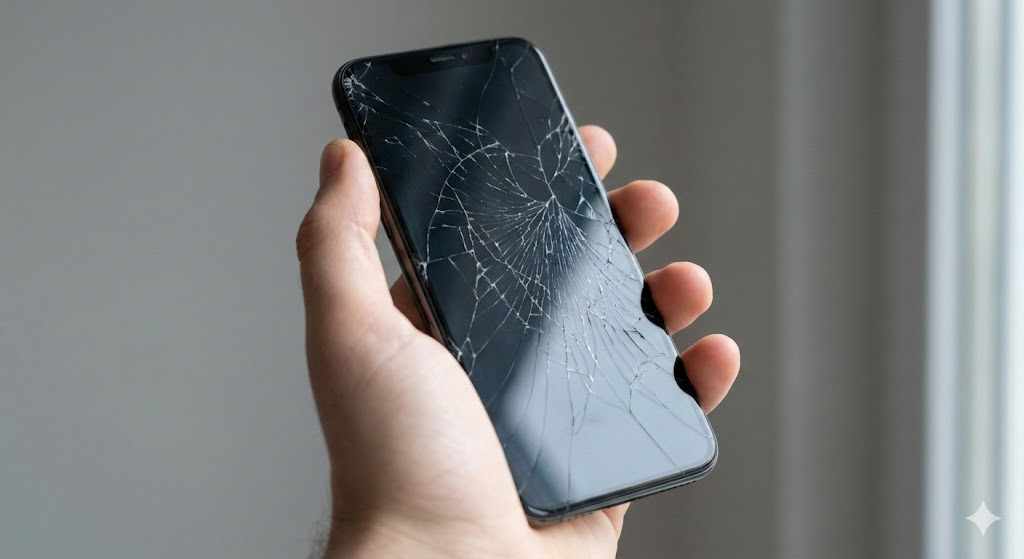
A cracked or unresponsive screen can disrupt daily communication, work tasks, and personal plans. When damage appears, choosing the right service becomes a priority. Phone Screen Replacement requires careful evaluation, not quick decisions. A professional, consultation-based approach helps users avoid poor repairs, repeated costs, and data risks. Everything Mobile Limited supports users by sharing expert consultation insights so they can make informed choices without pressure or confusion.
This step-by-step guide explains how to assess options, compare service quality, and select a screen replacement solution that fits both device needs and budget goals.
Key Takeaways
A step-by-step selection process reduces repair risks and repeat expenses
Consultation-based advice helps users judge service quality before committing
Parts quality, technician skills, and warranty terms matter more than price alone
Clear communication protects data, time, and device performance
Step 1: Identify the Exact Screen Issue
Before contacting any service provider, define the problem clearly. A phone screen may show cracks, dead pixels, touch delays, or complete blackouts. Each issue points to a different repair requirement. A service that replaces glass only may not fix display or touch-layer faults.
Write down visible symptoms and note how the phone behaves during calls, charging, and app use. This preparation allows you to explain the issue accurately during consultation and prevents unnecessary repairs.
Step 2: Confirm Your Phone Model and Screen Type
Modern phones use different screen technologies such as LCD, OLED, or AMOLED. Each type demands specific parts and handling methods. Even phones from the same brand may use different screens across models or production years.
Check the exact model number in device settings or on the original box. Share this detail during consultation so the advisor can guide you on compatible screen options and realistic pricing expectations.
Step 3: Choose Consultation Over Instant Repair Promises
Services that promise instant fixes without reviewing details often skip proper assessment. A consultation-first approach allows discussion about screen quality, expected lifespan, and repair risks.
During consultation, ask how the service evaluates damage and whether they test internal components before replacement. A professional advisor explains options clearly rather than pushing immediate action.
Step 4: Ask About Screen Quality Options
Screen replacements come in different grades, including original manufacturer screens, high-quality compatible screens, and low-cost alternatives. Each option affects brightness, touch response, and durability.
A consultation-based service explains the pros and limitations of each screen type. This guidance helps you match screen quality with usage needs instead of choosing blindly based on price.

Step 5: Verify Technician Skills and Process Transparency
Skill level matters as much as parts. Poor installation can cause touch failure, loose frames, or display discoloration. Ask how technicians handle screen removal, adhesive application, and post-repair testing.
A transparent process includes step explanations, time estimates, and testing methods. Clear answers indicate professionalism and reduce uncertainty.
Step 6: Review Warranty and After-Service Support
A warranty reflects confidence in repair quality. Ask what the warranty covers, how long it lasts, and what actions void it. Screen-related warranties often exclude physical damage but should cover display faults and touch issues.
After-service support also matters. A service that offers post-repair guidance helps users protect the new screen and maintain performance.
Step 7: Evaluate Data Safety Practices
Screen repair may require phone disassembly, which exposes internal components. Data safety should remain a priority. Ask whether the service needs device access or passcodes during repair.
A professional consultation advises on data backup steps and privacy measures before repair begins. This approach protects personal and work information.
Step 8: Compare Pricing With Value, Not Just Cost
Low pricing often attracts attention, but value depends on screen quality, technician skill, and warranty terms. A slightly higher price may prevent future repairs and save money over time.
Request a clear price breakdown during consultation. This transparency helps you compare services fairly and avoid hidden charges.
Step 9: Check Turnaround Time and Service Planning
Repair time affects daily routines. Some services offer same-day repairs, while others need longer due to part sourcing. Ask about realistic timelines rather than advertised estimates.
Consultation-based planning helps align repair schedules with user availability and urgency without rushing the process.
Step 10: Review Customer Feedback With a Critical Eye
Customer reviews offer insight, but read them carefully. Look for patterns related to screen quality, touch performance, and after-service response rather than generic ratings.
Consultation-focused services often receive feedback that mentions clarity, guidance, and support, which signals a user-first approach.
Step 11: Consider Long-Term Device Use
Think beyond immediate repair. If the phone supports future software updates and meets daily needs, a quality screen replacement makes sense. If performance already lags, consultation may suggest alternative options such as resale or upgrade planning.
This honest assessment prevents unnecessary spending and aligns decisions with long-term use.
Step 12: Make an Informed Final Decision
After comparing consultation feedback, screen options, pricing, and support, choose the service that meets technical and practical needs. Avoid rushed decisions driven by discounts or urgency.
A careful process ensures the new screen supports daily tasks without repeated issues. For users seeking expert guidance rather than direct repair pressure, Everything Mobile Limited provides professional consultation support to help evaluate the right Phone Screen Replacement choice based on individual requirements.
Step 13: Follow Post-Replacement Care Advice
After replacement, follow care recommendations such as avoiding pressure, using protective cases, and adjusting brightness settings. Proper care extends screen life and maintains touch accuracy.
Consultation-based guidance often includes these tips, helping users protect their investment.
Step 14: Monitor Performance During the First Week
The first week after replacement reveals potential issues. Test touch response, brightness levels, and display clarity across apps and calls. Report any concerns promptly if warranty support applies.
Active monitoring ensures early resolution and confirms repair success.
Step 15: Use Consultation for Future Device Decisions
Screen replacement experience provides insight into device value and service quality. Use consultation services for future decisions such as upgrades, resale, or maintenance planning.
This ongoing advisory approach supports smarter mobile ownership beyond a single repair.
Frequently Asked Questions (FAQ)
How do I know if my phone needs a full screen replacement or only glass repair?
Visible cracks with normal display response may allow glass repair, while touch failure or black screens usually require full replacement. A consultation helps confirm the correct option.
Does screen quality affect phone performance?
Yes. Screen quality influences brightness, touch sensitivity, and battery use. Higher-grade screens maintain original performance levels better.
Can a replaced screen match the original display?
With the right screen grade and proper installation, replacement screens can closely match original performance. Consultation clarifies realistic expectations.
Is Phone Screen Replacement safe for my data?
Data remains safe when proper precautions are followed. Advisors often recommend backups and privacy steps before repair.
How long should a replaced screen last?
Lifespan depends on screen quality and user care. High-quality replacements with careful use can last as long as the original screen.
Should I replace the screen on an older phone?
Consultation helps assess device value, performance, and future use before spending on replacement.
What should I do if touch issues appear after replacement?
Contact the service within warranty terms. Early reporting allows assessment and correction if needed.
Why choose consultation-based guidance instead of direct repair services?
Consultation-based guidance focuses on informed decisions, value assessment, and long-term satisfaction rather than quick fixes.





Write a comment ...